In this course, you will apply visual design principles to create high-fidelity mockups, considering platform-specific design patterns and best practices, while incorporating user feedback from usability testing.

UX Design in Practice: Accessibility and Collaboration

UX Design in Practice: Accessibility and Collaboration
This course is part of Microsoft UX Design Professional Certificate

Instructor: Microsoft
6,109 already enrolled
Included with
Gain insight into a topic and learn the fundamentals.
(96 reviews)
2 weeks to complete
at 10 hours a week
Flexible schedule
Learn at your own pace
Skills you'll gain
Details to know

Shareable certificate
Add to your LinkedIn profile
Assessments
25 assignments
Taught in English
See how employees at top companies are mastering in-demand skills

Build your Design and Product expertise
This course is part of the Microsoft UX Design Professional Certificate
When you enroll in this course, you'll also be enrolled in this Professional Certificate.
- Learn new concepts from industry experts
- Gain a foundational understanding of a subject or tool
- Develop job-relevant skills with hands-on projects
- Earn a shareable career certificate from Microsoft

There are 5 modules in this course
This module will equip learners with the skills to create polished, user-friendly mockups that adhere to platform-specific best practices and incorporate valuable user feedback.
What's included
8 videos8 readings5 assignments
This module will equip learners with the knowledge and skills to create inclusive design solutions that cater to a diverse range of users. The focus will be on understanding accessibility best practices and WCAG guidelines.
What's included
7 videos4 readings6 assignments
This module will explore the potential of Artificial Intelligence (AI) tools in streamlining the UX design workflow and enhancing efficiency.
What's included
4 videos1 reading3 assignments
This module focuses on the crucial aspects of working within a team and effectively communicating your design ideas. By the end, you'll be able to collaborate seamlessly, incorporate feedback, and showcase your work through a compelling portfolio.
What's included
11 videos5 readings5 assignments
This module equips learners with the skills to curate a compelling UX design portfolio and navigate the job search process effectively.
What's included
9 videos5 readings6 assignments
Earn a career certificate
Add this credential to your LinkedIn profile, resume, or CV. Share it on social media and in your performance review.


Explore more from Design and Product
 Status: Free Trial
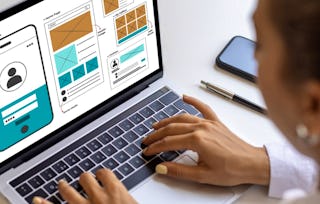 Status: Free Trial
 Status: Free Trial
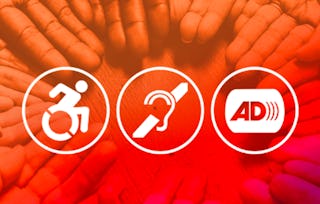 Status: Preview
University of Illinois Urbana-Champaign
Why people choose Coursera for their career

Felipe M.
Learner since 2018
"To be able to take courses at my own pace and rhythm has been an amazing experience. I can learn whenever it fits my schedule and mood."

Jennifer J.
Learner since 2020
"I directly applied the concepts and skills I learned from my courses to an exciting new project at work."

Larry W.
Learner since 2021
"When I need courses on topics that my university doesn't offer, Coursera is one of the best places to go."

Chaitanya A.
"Learning isn't just about being better at your job: it's so much more than that. Coursera allows me to learn without limits."
Learner reviews
- 5 stars
83.33%
- 4 stars
12.50%
- 3 stars
4.16%
- 2 stars
0%
- 1 star
0%
Showing 3 of 96
GC
Reviewed on Aug 21, 2024
UX Corss offers a comprehensive UX design curriculum with practical applications and professional interaction
BM
Reviewed on Jul 15, 2025
I was rather disappointed that the only graded part of the PowerPoint portfolio project was the interactive prototype.

Open new doors with Coursera Plus
Unlimited access to 10,000+ world-class courses, hands-on projects, and job-ready certificate programs - all included in your subscription
Advance your career with an online degree
Earn a degree from world-class universities - 100% online
Join over 3,400 global companies that choose Coursera for Business
Upskill your employees to excel in the digital economy
Frequently asked questions
To access the course materials, assignments and to earn a Certificate, you will need to purchase the Certificate experience when you enroll in a course. You can try a Free Trial instead, or apply for Financial Aid. The course may offer 'Full Course, No Certificate' instead. This option lets you see all course materials, submit required assessments, and get a final grade. This also means that you will not be able to purchase a Certificate experience.
When you enroll in the course, you get access to all of the courses in the Certificate, and you earn a certificate when you complete the work. Your electronic Certificate will be added to your Accomplishments page - from there, you can print your Certificate or add it to your LinkedIn profile.
More questions
Financial aid available,